Attach the questions
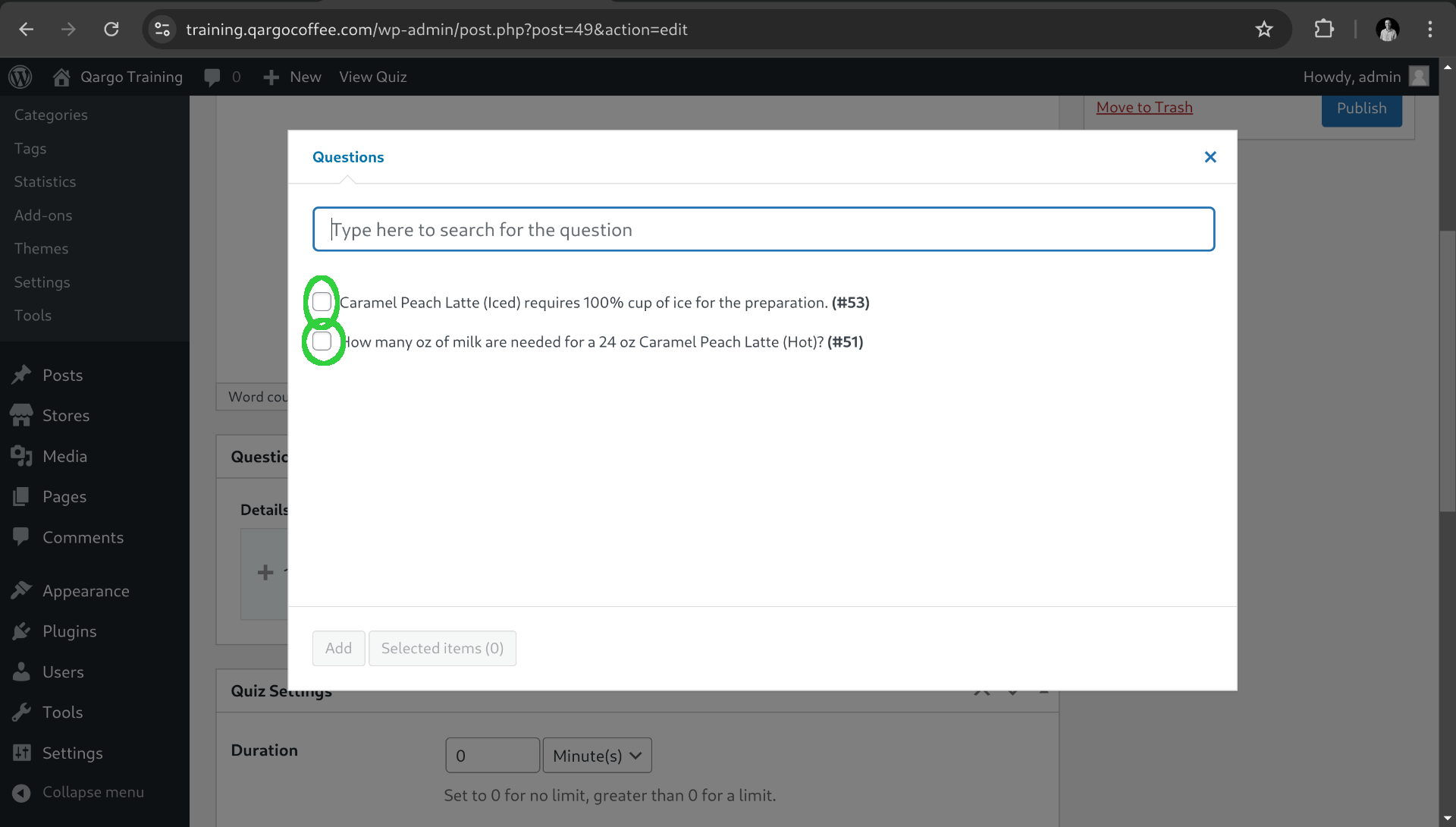
When we returned back to our quiz now we can select the questions that we have created.
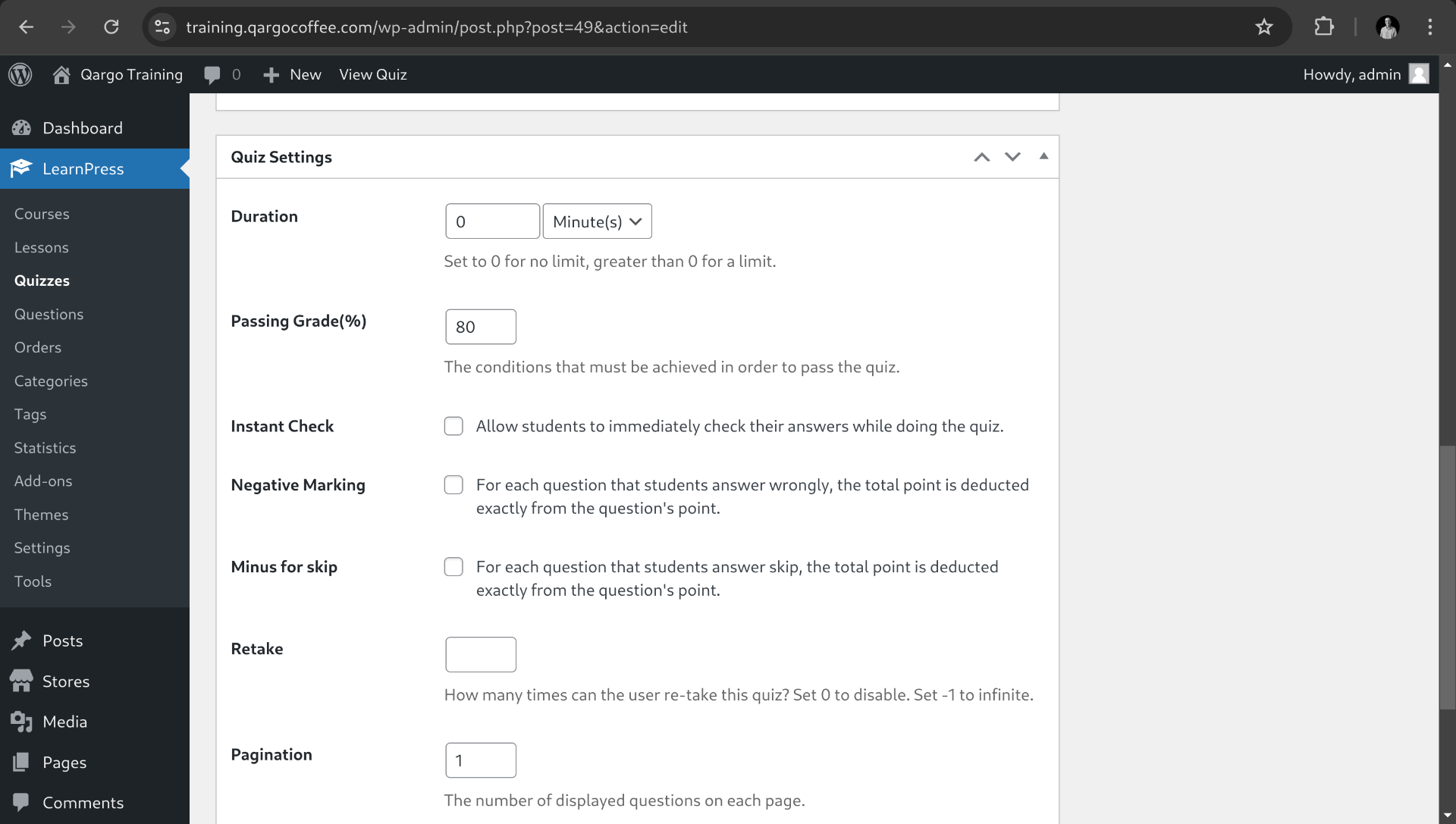
Now on the settings section we can configure the following aspects:
- Duration: by default there is no limitation on time.
- Passing grade: Percentage to pass the exam, by default 80%.
- Instant check: If students are able to know the answers after responding.
- Negative marking: Deduce total points from each question points (in case a question is more important than others, by default it is calculated).
- Minus for skip: For each question that students answer skip, the total point is deducted exactly from the question's point.
- Retake: How many times can the user re-take this quiz? Set 0 to disable. Set -1 to infinite.
- Pagination: The number of displayed questions on each page. By default 1.
- Review: Allow students to review this quiz after they finish the quiz. Enabled by default.
- Show the correct answer: Allow students to view the correct answer to the question in reviewing this quiz. Enabled by default.
After configuring all the settings we can publish the Quiz.